AWS KMS Best Practices: Securing the Secret Ingredients of Your Infrastructure
- Haggai Philip Zagury (hagzag)
- Medium publications , Cloud native
- March 20, 2026
Table of Contents
TL;DR
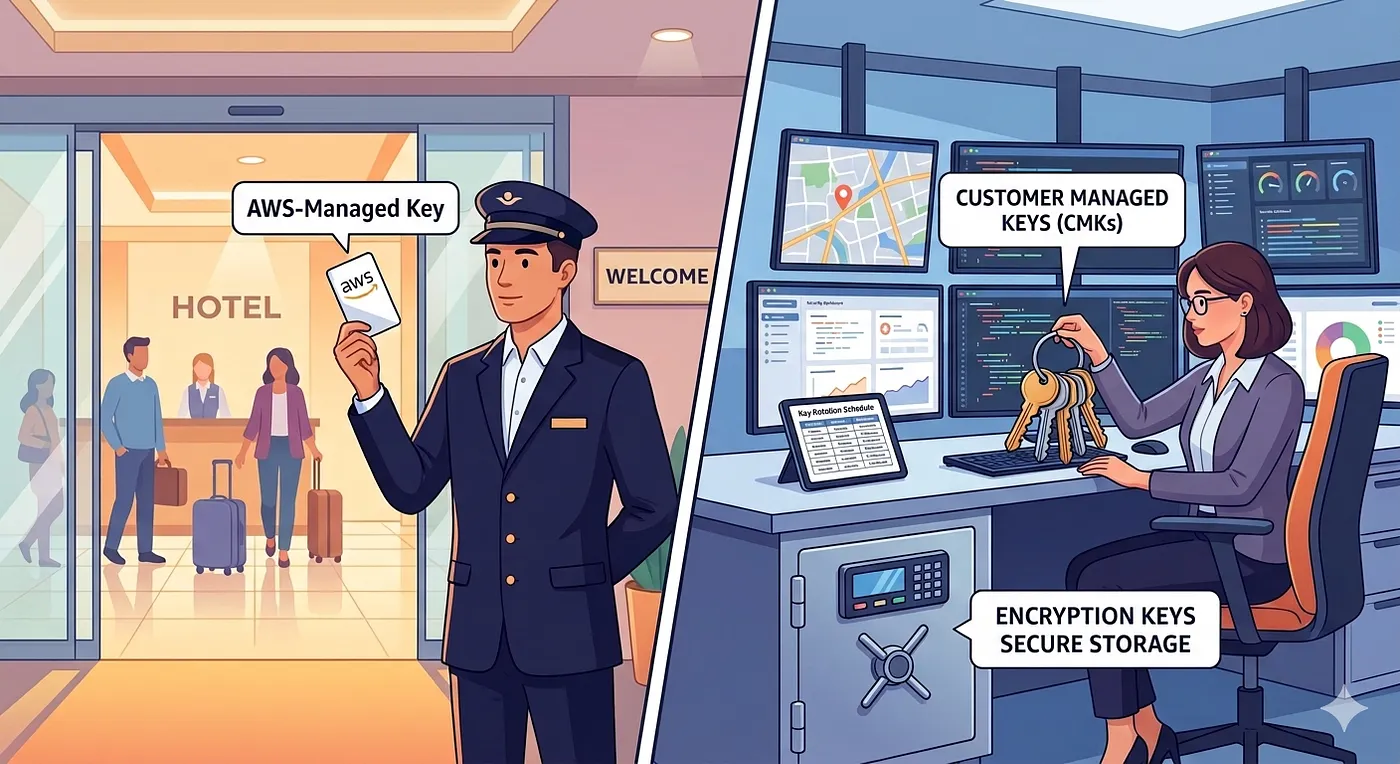
AWS KMS gives you three flavors of encryption keys — AWS-owned, AWS-managed, and Customer Managed Keys (CMKs). For anything resembling production, CMKs are the only real choice: they give you control over rotation, deletion, cross-account access, and most critically — the ability to kill a key in an emergency. Think of KMS like a hotel’s key management system: the entrance guard has one master card, but the security manager holds the safe with all the master keys. Designing your KMS strategy right is what keeps you from handing that safe to an attacker.
Introduction
Here’s an analogy I keep coming back to when explaining KMS to teams.
Picture a hotel. The main entrance guard has a keycard — it opens the lobby doors and maybe a few common areas. He does his job fine. But he doesn’t have access to every guest room, the back office, or the vault in the basement. He doesn’t need it.
Now, the security manager — that’s a different story. She holds the master key ring. She has access to the safe that stores the master keys for every floor, every restricted area, and the vault itself. If something goes wrong — a break-in, a compromised card — she can revoke individual keys, reissue them, or lock down an entire floor without touching the rest of the building.
AWS KMS works the same way. AWS-managed keys are your entrance guard’s keycard — they get the job done, but you don’t control the rotation schedule, can’t disable them in a pinch, and can’t share them across accounts. Customer Managed Keys (CMKs) are the security manager’s key ring. And if you’re running production infrastructure, you need to be the security manager, not the guard at the door.
The Three Flavors of KMS Keys
Before we dive into best practices, let’s get the taxonomy straight:
AWS-Owned Keys — Keys that AWS uses internally across services. You never see them, never manage them. Think of these as the hotel chain’s corporate-level infrastructure — you don’t even know which locks they protect.
AWS-Managed Keys — The aws/s3, aws/rds keys that show up automatically when you enable encryption on a service. Free, automatic rotation every year, but you can’t change the policy, can’t disable them, and can’t use them cross-account. This is your entrance guard — reliable, but limited.
Customer Managed Keys (CMKs) — Keys you create and you control. Custom key policies, configurable rotation (90 days to 2560 days as of 2024), the ability to disable or schedule deletion, cross-account sharing via key policies, and encryption context support. This is the security manager’s domain.
For anything beyond a sandbox experiment, CMKs are the right choice. The extra operational overhead is minimal; the control you gain is everything.
Key Granularity: One Key to Rule Them All Is a Terrible Idea
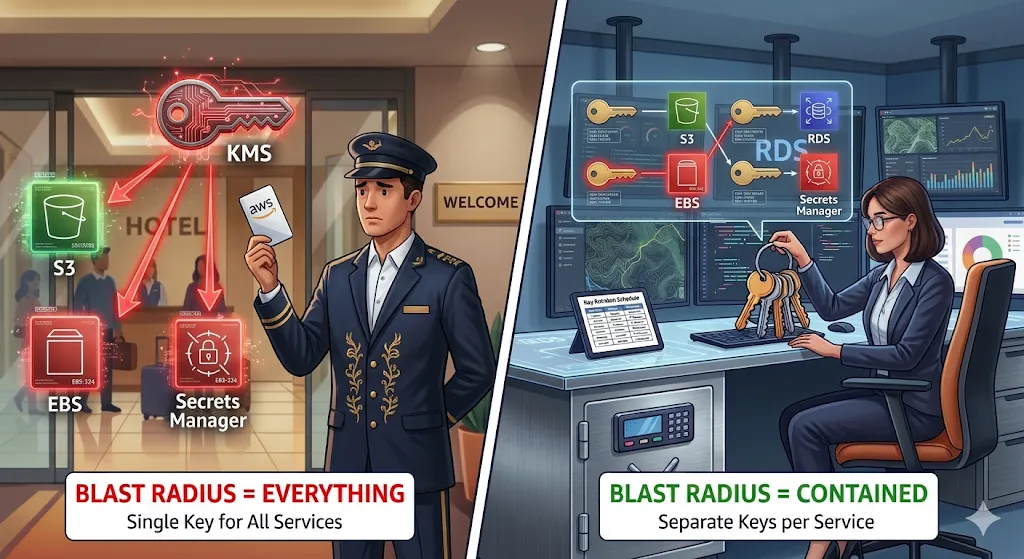
I’ve seen teams create a single CMK and use it for everything — S3 buckets, RDS instances, EBS volumes, Secrets Manager, the lot. It feels efficient. It’s actually a ticking time bomb.
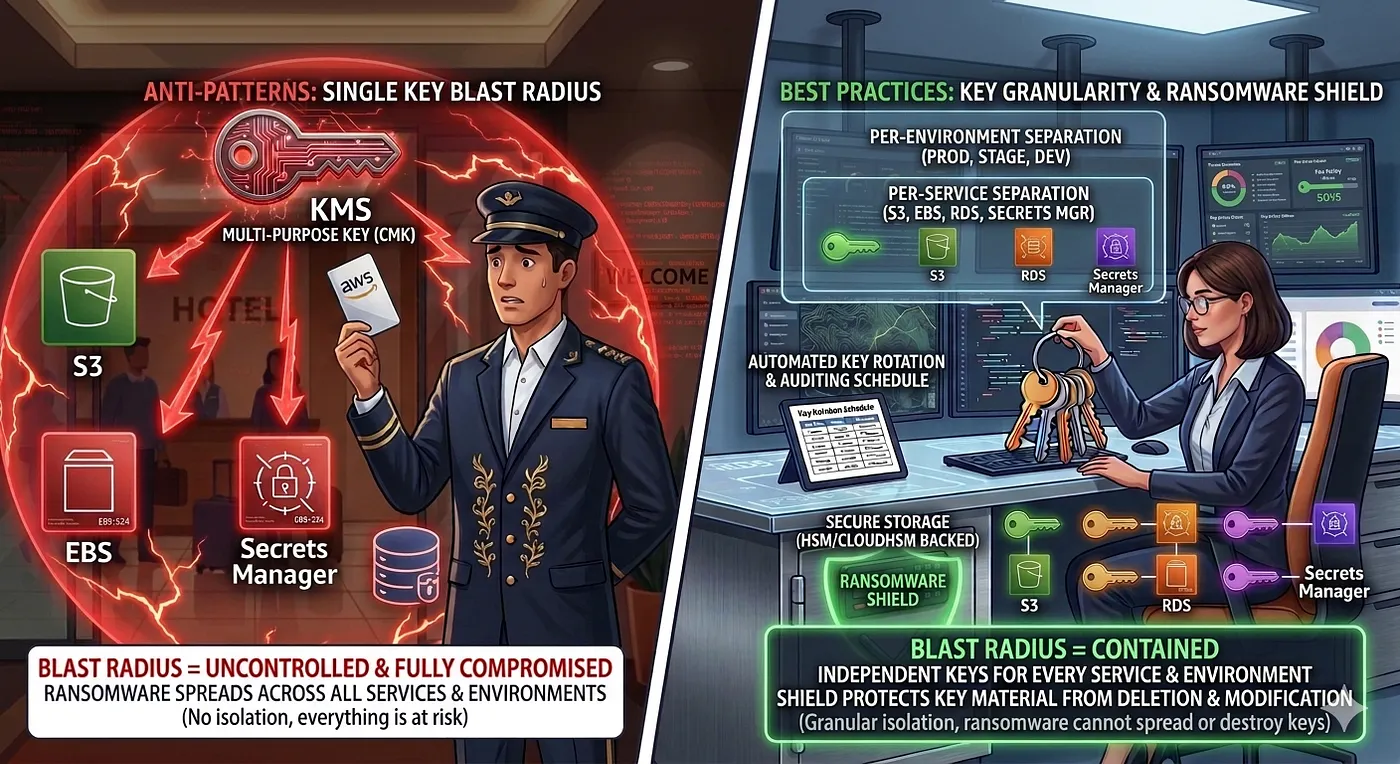
Here’s why: if that key gets compromised, disabled, or accidentally scheduled for deletion — every encrypted resource goes dark simultaneously. Your blast radius is your entire infrastructure.
The pattern I recommend:
Per-service keys — One key for S3, one for RDS, one for EBS, one for Secrets Manager. Each with its own key policy scoped to the IAM roles that actually need access.
Per-environment keys — Dev, staging, and production should never share keys. A developer with access to the dev encryption key should not be one policy mistake away from decrypting production data.
Per-compliance-domain keys — If you’re running HIPAA or FedRAMP workloads alongside general workloads, those regulated resources get their own keys with stricter policies and audit trails.
In Terraform, this is straightforward:
# Per-service, per-environment KMS keys
resource "aws_kms_key" "s3_prod" {
  description             = "CMK for S3 encryption - Production"
  deletion_window_in_days = 30
  enable_key_rotation     = true
  rotation_period_in_days = 180
  tags = {
    Environment = "production"
    Service     = "s3"
    ManagedBy   = "terraform"
  }
}
resource "aws_kms_key" "rds_prod" {
  description             = "CMK for RDS encryption - Production"
  deletion_window_in_days = 30
  enable_key_rotation     = true
  rotation_period_in_days = 90  # Tighter rotation for database keys
  tags = {
    Environment = "production"
    Service     = "rds"
    ManagedBy   = "terraform"
  }
}
Yes, more keys means more to manage. But Terraform modules/Pulumi /CDK constructs and consistent tagging make this trivial. The blast-radius containment is worth every extra line of code / configuration.
The Alias Shortcut: Labels on the Spice Rack
Now, managing a dozen CMKs per environment sounds like a naming nightmare. This is where aliases earn their keep.
A KMS alias is a human-friendly name (alias/prod-s3-encryption) that points to a key ID (arn:aws:kms:us-east-1:123456789:key/abc-123...). The magic: you can retarget an alias to a different key without changing any application code.
Back to our hotel analogy — aliases are like the labels on the key hooks in the security office. The hook says “Floor 3 Master.” The actual key on that hook can be swapped out during rotation without anyone updating their procedures. Everyone still goes to the “Floor 3 Master” hook.``
resource "aws_kms_alias" "s3_prod" {
  name          = "alias/prod-s3-encryption"
  target_key_id = aws_kms_key.s3_prod.key_id
}
In your application code and IAM policies, reference the alias:
{
  "Effect": "Allow",
  "Action": ["kms:Decrypt", "kms:GenerateDataKey"],
  "Resource": "arn:aws:kms:us-east-1:123456789:alias/prod-s3-encryption"
}
When you rotate to a new key, retarget the alias. Zero code changes. Zero deployment. The guard at the door doesn’t even notice the lock was changed — his keycard label still says the same thing.
The Ransomware Shield: Your Safety Net Admin Strategy
Here’s the scenario that keeps security teams up at night: an attacker gains IAM admin access, creates a new KMS key, re-encrypts your data with their key, deletes yours, and demands payment.
The defense is architectural, not just policy-based:
Account Root as the Backstop — The AWS account root user can always manage KMS keys in that account. This is your break-glass. Ensure root has MFA, hardware token, and is locked in a (metaphorical) safe.
Separate KMS Admin from KMS User roles — The IAM role that administers keys (create, disable, schedule deletion) should never be the same role that uses keys (encrypt, decrypt). Separation of duties.
Deny deletion without MFA — Add explicit deny conditions on kms:ScheduleKeyDeletion and kms:DisableKey actions unless MFA is present:
{
  "Effect": "Deny",
  "Action": [    "kms:ScheduleKeyDeletion",
    "kms:DisableKey"
  ],
  "Resource": "*",
  "Condition": {
    "BoolIfExists": {
      "aws:MultiFactorAuthPresent": "false"
    }
  }
}
Encryption Context as a Binding Agent — Encryption context is a set of key-value pairs that get cryptographically bound to the ciphertext. If someone tries to decrypt data with the right key but the wrong context, decryption fails. Think of it as a combination lock on top of the key.
# Encrypt with context

response = kms.encrypt(
KeyId='alias/prod-s3-encryption',
Plaintext=b'sensitive-data',
EncryptionContext={
'project': 'hagzag-protfolio',
'environment': 'production'
}
)

# Decrypt MUST provide the same context — or it fails

response = kms.decrypt(
CiphertextBlob=ciphertext,
EncryptionContext={
'project': 'hagzag-protfolio',
'environment': 'production'
}
)
An attacker who compromises a key but doesn’t know the encryption context for a given ciphertext still can’t decrypt it. It’s an extra layer that costs nothing to implement.
Policy Tug-of-War: Key Policies vs. IAM Policies
KMS has a dual-authorization model that confuses a lot of teams. Here’s the short version:
- Key Policies (Resource-Based) — Attached directly to the KMS key. This is the ultimate authority. If the key policy doesn’t grant access, no IAM policy in the world can override it. This is the security manager saying, “This key only works for these people, period.”
- IAM Policies (Identity-Based) — Attached to IAM users, roles, or groups. These only work if the key policy includes the
"kms:ViaService"condition or the default key policy statement that delegates to IAM.
The critical nuance: for cross-account access, the key policy is the only path. IAM policies in Account B cannot grant access to a KMS key in Account A. The key policy in Account A must explicitly allow Account B’s role.
{
  "Sid": "AllowCrossAccountDecrypt",
  "Effect": "Allow",
  "Principal": {
    "AWS": "arn:aws:iam::222222222222:role/AppRole"
    },
  "Action": [ "kms:Decrypt",
    "kms:DescribeKey"
  ],
  "Resource": "\*"
}
My rule of thumb: Key policies define who CAN access the key. IAM policies define who DOES access the key. Both must agree. The key policy is the bouncer at the door; IAM is the guest list.
Conclusion
KMS isn’t glamorous infrastructure work. Nobody’s giving conference talks about “that time I set up encryption keys really well.” But getting it wrong — one shared key, one overly permissive policy, one missing MFA condition — and you’re handing the attacker the master safe, not just the entrance guard’s keycard.
The playbook is straightforward: use CMKs, not AWS-managed keys. Separate keys by service and environment. Use aliases so rotation doesn’t break anything. Lock down deletion with MFA. Bind ciphertext with encryption context. And make the key policy — not just IAM — your source of truth.
Your infrastructure deserves a proper security manager, not just a guard at the door.
Further Reading
- AWS KMS Best Practices (AWS Whitepaper)
- AWS KMS Key Policies
- Encryption Context in AWS KMS
- Terraform AWS KMS Module
- AWS Security Blog: Protecting Data with KMS
Originally published on _m_y portfolio, polished and updated in relation to AWS Landing Zone post.